
SPONSORSHIP INFORMATION - 2026 AVIATION CYBERSECURITY SUMMIT
SEPTEMBER 29 - OCTOBER 2 | VANCOUVER, CANADA | SHERATON VANCOUVER WALL CENTRE
Thank you for sponsoring the 2026 Aviation Cybersecurity Summit. We're excited to partner with you and appreciate your support in making this event a success. Please throughly review the below information, deadlines, and logistics to help you prepare for Vancouver.
Registration for the 2026 Aviation Cybersecurity Summit is now closed, and no late registrations will be accepted. For any questions regarding the Summit, please contact summit@a-isac.com.
IMPORTANT DATES
THE VENUE
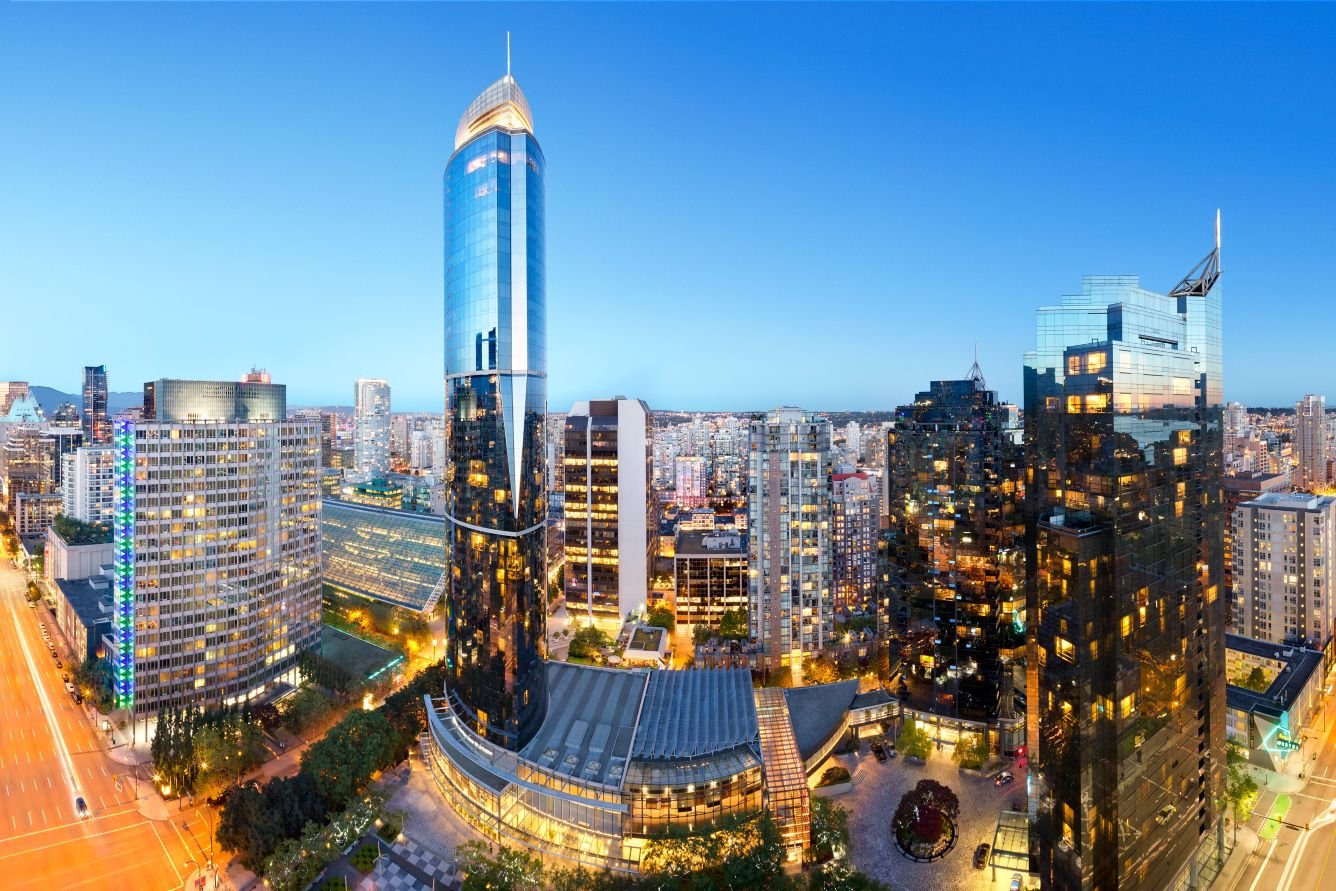
SHERATON VANCOUVER WALL CENTRE
Hotel Address: 1000 Burrard Street, Vancouver, BC V6Z 2R9 Canada
Embrace the spirit of one of Canada's most exciting cities at Sheraton Vancouver Wall Centre, a pet friendly hotel in Vancouver BC. Our downtown Vancouver hotel is nestled in the heart of the city, with the North Tower rising as the iconic One Wall Centre.
BOOTH SETUP & RETRIEVAL
BOOTH SIZE
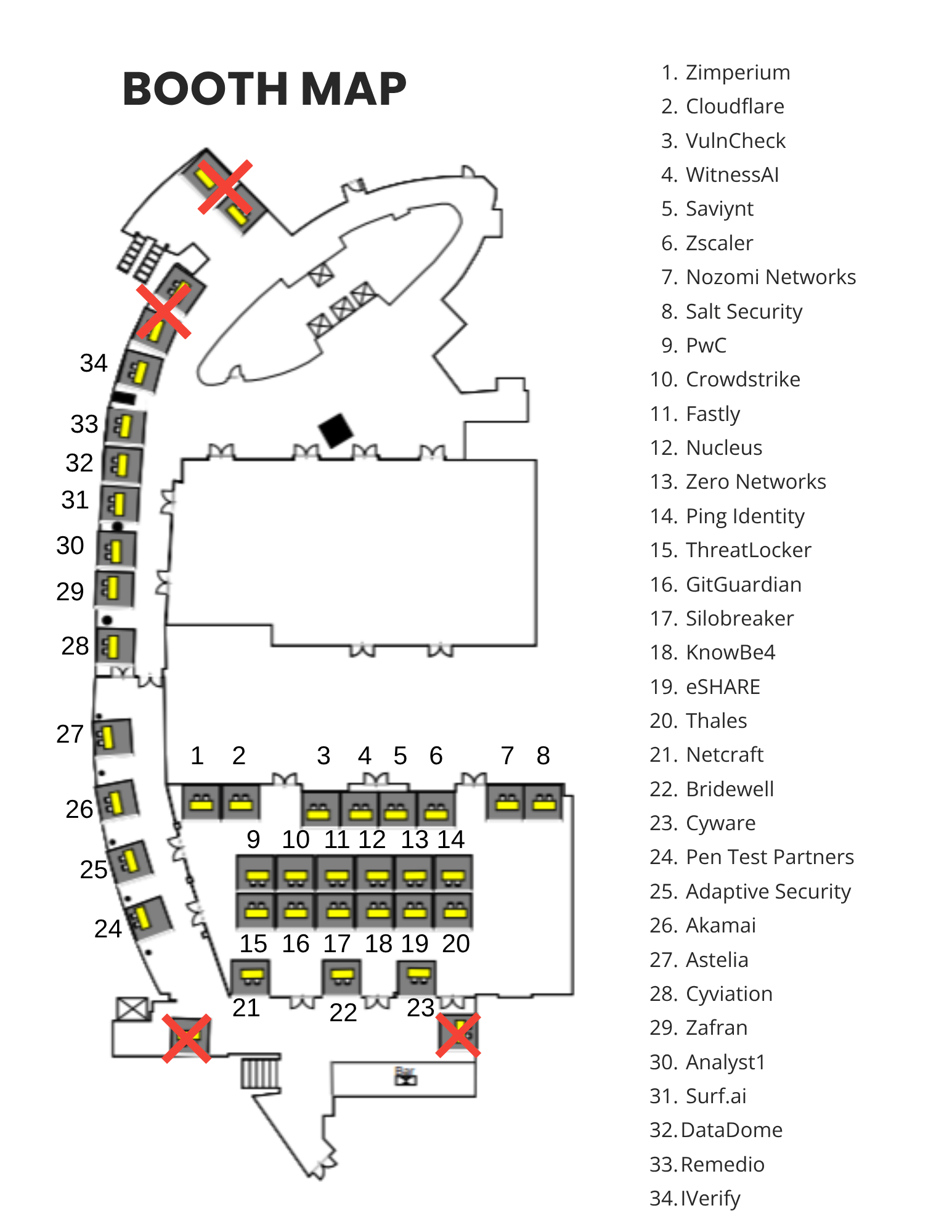
Each sponsor will be given a 10-foot-wide booth footprint, 6-foot-long table with two chairs, access to basic power, and free wifi. We recommend keeping your booth simple to pop-up banners, and a branded tablecloth.
BOOTH SETUP
Booth setup will take place Tuesday, September 29 from 12:00-4:00 p.m. in the Junior Pavillion Hall at the Sheraton Wall Centre. Your exhibit space must be set up and ready for the Summit by 4:00 p.m. If you are sending a representative solely for setup, please email sponsorships@a-isac.com for badging.
BOOTH BREAKDOWN
The breakdown will occur on Thursday, October 1 after 4:30 p.m. with all booth materials required to be removed by 7:00 p.m. Return packages must fully packaged, and return labels attached and left on the tables for pick up.
RETURN SHIPPING
If arranging your own return shipping, please ensure:
Return shipping labels are attached to all packages.
Three copies of the customs invoice are included, if applicable.
Any required carrier bills of lading are attached.
Pickup arrangements are confirmed with your carrier.
Items are brought to the hotel loading dock. Exhibitors may do this themselves or request hotel assistance for an additional fee.
If you would like assistance with return shipping, arrangements must be made before the start of the show, particularly if customs clearance is required.
Please note: If Cross Connect did not manage your inbound customs clearance, we may not be able to assist with return customs clearance.
AUDIO, VISUAL, ELECTRICAL
Basic power will be included in your sponsorship package, all other audio, visual & electrical elements will need to be reserved by filling out the form on tand: encoresales@wallcentre.com
FRIDAY’S RUNWAY CAFE
Fuel up before the final day of Summit sessions with fresh coffee, pastries, and conversations with fellow attendees. Join us from 8:00–9:25 a.m on Friday October 2, then continue building relationships through scheduled sponsor meetings available until 1:00 p.m. in the Pavillion Ballroom.

EXHIBITOR PORTAL & LEAD SCANNERS
EXHIBITOR PORTAL SETUP
An email originating from CVENT has been sent to all lead event contacts for the summit. Once the email is received, please create a login and begin adding booth staff, updating your company logo and description, and more. Please note booth staff must be registered for the event before being assigned to an exhibitor profile.
If you did not receive a CVENT email, please reach out to sponsorships@a-isac.com.
LEAD CAPTURE LICENSE PURCHASE
Badge scanning lead capture is available for this event. To purchase, from the exhibitor Welcome Page in CVENT:
Click Purchase Licenses. Next, select your desired license type. App Licenses require your booth staff to download the LeadCapture app on their own device in order to scan leads.
Check the box to the right of Single to purchase one LeadCapture license, or click the plus sign (+) to increase the quantity of how many devices you want to purchase.
Once you've made your selections, click Go to checkout to complete the transaction.
For more information visit this link.
LEAD CAPTURE DURING THE EVENT
The LeadCapture app allows you to quickly scan leads while exhibiting at an event. Collect the lead's contact information, answer qualifying questions, and export this data after the event. After you have purchased the Lead Capture License:
Download the Cvent LeadCapture app from the Apple App Store or Google Play Store.
Enter the access code from your email. (If you never received one, tap I don't have an access code or ask your Exhibitor Admin to look it up).
Tap Next, and Activate Device to confirm
For more information visit this link
ADDITIONAL INFORMATION

THE AGENDA
FAQs
-
The conference is taking place September 29 - October 2, 2026 in Vancouver, Canada with a welcome reception on September 29th. The Summit is three days of presentations and a members-only.
-
Please complete the registration form here.
-
The ticket price breakdown is as follows:
Aviation Industry - Non-A-ISAC Member = $1,249
Aviation ISAC Member (After all complimentary passes have been utilized) = $949
Government/Academia (not applicable to contractors) = $698
Sponsor Attendee = $5,000
Social Event Guest Pass = $189
Speaker = Please email summit@a-isac.com for registration information and code.
The cost of registration includes access to all Summit events, meals, and access to social events.
-
At this time, all early bird registration has expired.
-
Registration for the event closes on September 14, 2026. Onsite registration for this event will not be available.
-
Within the registration link there is a payment option for credit cards. If you run into any difficulty processing your payment, please reach out to summit@a-isac.com
-
There are no group discounts available.
-
A 50% refund is available if requested before September 1, 2026. After that date, we are unable to offer refunds.
-
Pre-registration is required. No onsite registration will be available for this event.
-
All attendees must adhere to the event code of conduct outlined within the registration form. Business casual attire is recommended for attendees.
-
Yes, you will receive an automated email confirmation and receipt from our registration platform CVENT.
-
We do not publicly share the link directly on this website.
Attending? Please contact summit@a-isac.com we would be happy to share the link with you.
-
Breakfast will be provided through the hotel booking with Lunch being provided each day of the conference.
-
Business casual.
-
Yes
-
If you would like to purchase a guest pass for the socials only, please register them under social pass during the registration process.
-
There will be a conference app for the summit with download instructions provided in the “Know Before You Go” packet the week before the summit.
-
Please note any dietary restrictions or allergies in the dedicated section during the registration process. If you have any additional dietary restrictions, please email summit@a-isac.com
-
Yes, please email summit@a-isac.com to make any arrangements.
-
The Call for Presentations has closed, but we will soon be looking for presenters for next year. If you are interested in presenting or sponsoring at next year’s event please email: summit@a-isac.com
-
We do not provide certification, but please email summit@a-isac.com with assistance for justifications.
-
Please contact summit@a-isac for assistance.